Vanilla Java Script
Runner Game – Interactive JavaScript Endless Runner Game
Runner Game is a lightweight browser-based endless runner game I built using HTML, CSS, and Vanilla JavaScript. The player must jump over moving obstacles while surviving as long as possible and building a higher score.
Built by Ehan Siddique ·
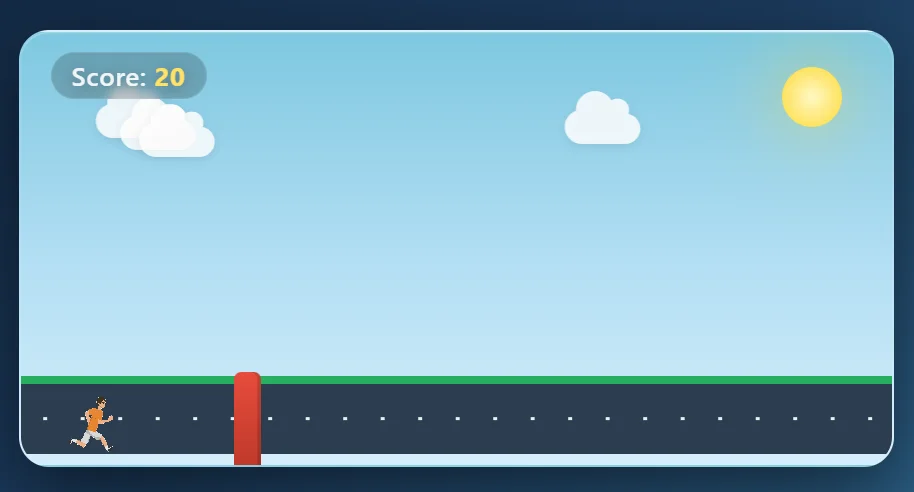
Runner Game – A Vanilla JavaScript Browser Game
About the Project
Runner Game is a simple browser-based endless runner game I built using HTML, CSS, and Vanilla JavaScript.
The main goal of the game is simple: keep the character running, jump over incoming obstacles, and survive as long as possible to achieve a higher score.
I built this project without React, a game engine, or any major JavaScript framework. I wanted to work directly with browser technologies and improve my understanding of DOM manipulation, event handling, animations, timers, and collision detection.
Although the idea of the game is simple, developing it required several different pieces of logic to work together smoothly.
Project Overview
The game starts with a simple loading screen and a Start button.
Once the player starts the game, an obstacle begins moving toward the character while the score continuously increases.
The player can jump by:
- Pressing the Space bar
- Clicking anywhere on the screen
- Tapping the screen on supported devices
If the character fails to jump over an obstacle, the collision system detects it and ends the game.
The player's final score is then displayed with an option to play again.
The Idea Behind Runner Game
Most of my development work focuses on websites and web applications, but I wanted to build something that required more interaction than a normal webpage.
A small browser game was a good opportunity to practice that.
Instead of working with forms, dashboards, or APIs, I had to think about things such as:
- Character position
- Obstacle position
- Animation timing
- Jump states
- Collision areas
- Score intervals
- Keyboard controls
- Game state
This made the project a different kind of JavaScript challenge.
The Challenge
One of the main challenges was making several systems work together at the same time.
The obstacle needed to move continuously while the game checked whether the character had jumped high enough to avoid it.
At the same time, the score needed to increase without affecting the movement or controls.
The game also needed to prevent certain problems, such as allowing the player to trigger multiple jumps at the same time.
So I separated the gameplay into different pieces of logic instead of putting everything inside one large function.
Building the Jump System
The jump system is controlled using JavaScript and CSS animation.
When the player presses Space or clicks the screen, JavaScript adds a jump class to the character.
CSS then handles the actual movement of the character.
I also created an isJumping state.
This prevents another jump from being triggered while the current jump animation is still running.
function performJump() {
    if (!gameStarted || isJumping) return;

    isJumping = true;
    char.classList.add('jump');

    jumpTimeout = setTimeout(() => {
        char.classList.remove('jump');
        isJumping = false;
    }, 900);
}
This helped keep the movement predictable and prevented repeated inputs from breaking the animation.
Collision Detection
Collision detection is one of the most important parts of the game.
The JavaScript continuously reads the current positions of the character and obstacle.
It checks when the obstacle enters the character's horizontal area.
Then it checks the vertical position of the character.
If the runner is still close to the ground when the obstacle reaches them, the game registers a collision.
The simplified logic looks like this:
if (blockLeft < 55 && blockLeft > -5) {
    if (charBottom < 80) {
        // Game Over
    }
}
The collision area is intentionally slightly forgiving so the gameplay does not feel unnecessarily difficult.
Real-Time Score System
The scoring system is based on how long the player survives.
When the game starts, JavaScript creates an interval that increases the score every 100 milliseconds.
scoreInterval = setInterval(() => {
    count++;
    scoreSpan.textContent = count;
}, 100);
When a collision happens, the interval is stopped immediately.
The final value becomes the player's score for that attempt.
Game State Management
Even a small game needs some form of state management.
For Runner Game, I used simple JavaScript variables such as:
let count = 0;
let isJumping = false;
let gameStarted = false;
These variables help the game understand what is currently happening.
For example, gameStarted prevents the Start button from triggering the game multiple times.
isJumping prevents multiple jump animations from running together.
This project helped me understand that state management is not something only frameworks such as React need.
Even Vanilla JavaScript applications require careful state control.
Game Over System
When the character hits an obstacle, several things happen immediately.
The game stops:
- Collision detection
- Score counting
- Jump timers
The player's final score is saved and shown on the Game Over screen.
A Play Again button allows the player to restart the game.
For this version, restarting simply reloads the page and resets the game to its initial state.
CSS Animation
CSS handles most of the visual movement.
Instead of manually changing the obstacle position through JavaScript every few milliseconds, CSS animations handle the movement.
This keeps the JavaScript focused on game logic.
CSS is also responsible for:
- Jump animation
- Obstacle movement
- Road styling
- Game environment
- Sun
- Clouds
- Layout
- Loading animation
- Game-over screen
Combining CSS animations with JavaScript logic made the project much simpler and more efficient.
Tech Stack
HTML5
HTML provides the structure of the game.
It contains the main game area, character, obstacle, score display, environment elements, and Start button.
CSS3
CSS handles the design and animation of the game.
I used it for positioning, keyframe animations, gradients, layouts, and the overall visual experience.
Vanilla JavaScript
JavaScript controls the gameplay.
It handles:
- Starting the game
- Jumping
- Keyboard events
- Mouse and touch interaction
- Collision detection
- Scoring
- Game state
- Game-over logic
- Restarting
No JavaScript framework or game engine was used.
Project Structure
The project has a very simple structure:
Runner-Game/
│
├── index.html
├── style.css
├── app.js
├── man-running-gif-4.gif
├── README.md
└── LICENSE
index.html
Contains the structure and main game elements.
style.css
Contains all design styles and animations.
app.js
Contains the complete game logic.
man-running-gif-4.gif
Used as the animated runner character.
What I Learned
This project helped me improve several areas of front-end development.
DOM Manipulation
The game constantly interacts with DOM elements to update scores, read positions, add classes, and change the interface.
Event Handling
I worked with keyboard and click events to create multiple ways of controlling the character.
JavaScript Timers
I used both setInterval() and setTimeout() for scoring, collision checking, loading behavior, and jump timing.
CSS and JavaScript Coordination
The project taught me how CSS animations and JavaScript logic can work together instead of trying to control everything from JavaScript.
Collision Logic
Creating a basic collision system helped me better understand element positions and browser calculations.
Application State
Variables such as gameStarted and isJumping showed how important simple state management can be even in small projects.
What I Would Improve Next
Runner Game is intentionally lightweight, but there are many ways I could continue developing it.
Some possible improvements include:
- Multiple obstacle types
- Increasing game speed over time
- Local high-score storage
- Online leaderboard
- Sound effects
- Background music
- Collectible coins
- Different characters
- Character skins
- Multiple maps
- Pause and resume
- Mobile control buttons
- Achievement system
- Difficulty levels
- Backend score tracking
One feature I would especially like to add is a leaderboard where players can create a username and compete for the highest score.
Why This Project Matters to Me
Runner Game is not one of my biggest projects, but it represents something important in my development journey.
It shows that I can build interactive experiences using the fundamentals of web development without depending on a framework.
Building projects like this helps strengthen the core JavaScript knowledge that also becomes useful when working with technologies such as React, Next.js, and Node.js.
Understanding what happens underneath frameworks makes it easier to solve problems when applications become more complicated.
Final Thoughts
Runner Game was a fun way for me to explore the connection between web development and simple game development.
Using only HTML, CSS, and Vanilla JavaScript, I was able to build a playable browser game with jumping controls, obstacle animations, scoring, collision detection, and restart functionality.
The project helped me practice JavaScript fundamentals while building something more interactive than a traditional website.
You can play the game or explore the source code below.
Play Runner Game
https://runner-game-theta.vercel.app/
View the Source Code
https://github.com/Fehan999/Runner-Game
Project Details
Project: Runner Game
Type: Browser Game
Role: Designer & Developer
Technologies: HTML5, CSS3, Vanilla JavaScript
Deployment: Vercel
Source Code: GitHub
Status: Live
More projects
 Featured
Web App
Farmora — Farm to Door E-commerce Marketplace by Ehan Siddique
Farmora is a farm-to-door marketplace by Ehan Siddique with customer, farmer and admin roles, a live 3-day delivery tracker, a 10% commission model, Next.js, Firebase, Supabase and full SEO.
- Next.js
- Firebase
- React.js
- JavaScript
- UI/UX
 Featured
Web App
ChatLoop — Real-Time Chat Application by Ehan Siddique
ChatLoop is a real-time communication app by Ehan Siddique with messaging, voice notes, WebRTC calls, Gemini AI, Firebase, Supabase, and an admin dashboard.
- React.js
- Next.js
- Tailwind css
- HTML
- CSS
React Project
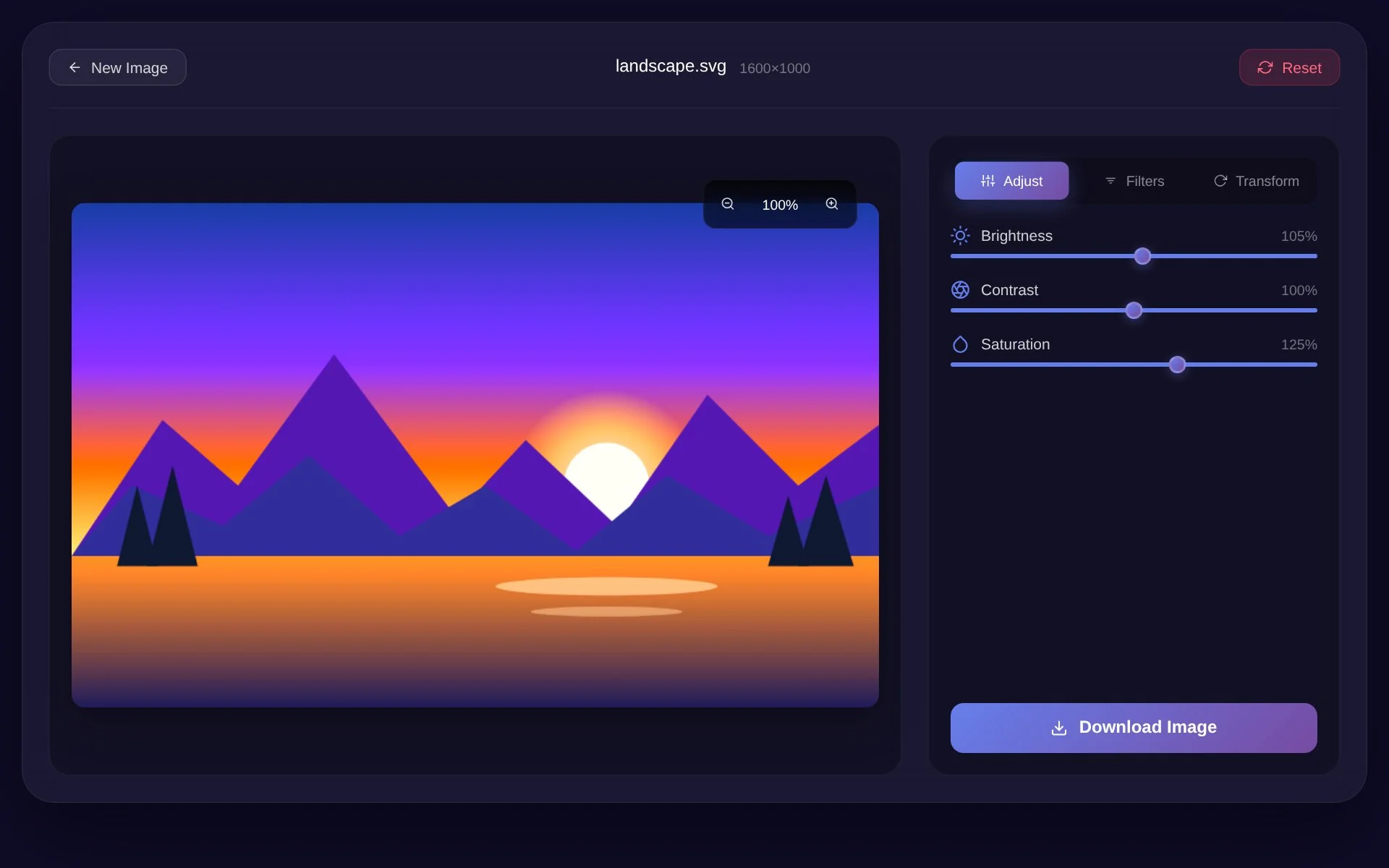
React Image Editor - Ehan Siddique
A browser-based React Image Editor built with React 19 and HTML5 Canvas featuring real-time image adjustments, filters, rotation, zoom, responsive controls, and image export.
- React 19
- JavaScript
- HTML5 Canvas
- CSS3
- Framer Motion